iOS 11: Suggesting A better Control Center
A quicker way to connect to everything!
Updated
Originally published on Medium (opens in a new tab).
A quicker way to connect to everything!
Note: Sketch and Principle assets from this post can be downloaded from dribbble, if you also feel the urge to tweak something 😆
After updating to iOS 11 this week, I’m pretty impressed. Nothing too overwhelming different, but Apple seem to have resolved a lot of minor annoyances from iOS 10. 👍
One of my favourite new features is the ability to customise the Control Center. I’m particularly loving adding quick access to alarms (which I change a lot) rather than timer (which I never used).
But, Control Center could be so much better! 😢
For example, try connecting to a new WiFi network
If you try to do this just through Control Center it’s impossible, you’ll hit a dead end.
Force touching on the WiFi icon just means more “connection” options. With only the ability to turn these on/off. Useful. True. But I’d still want to quickly connect to something new, just as much as I want to turn on/off.
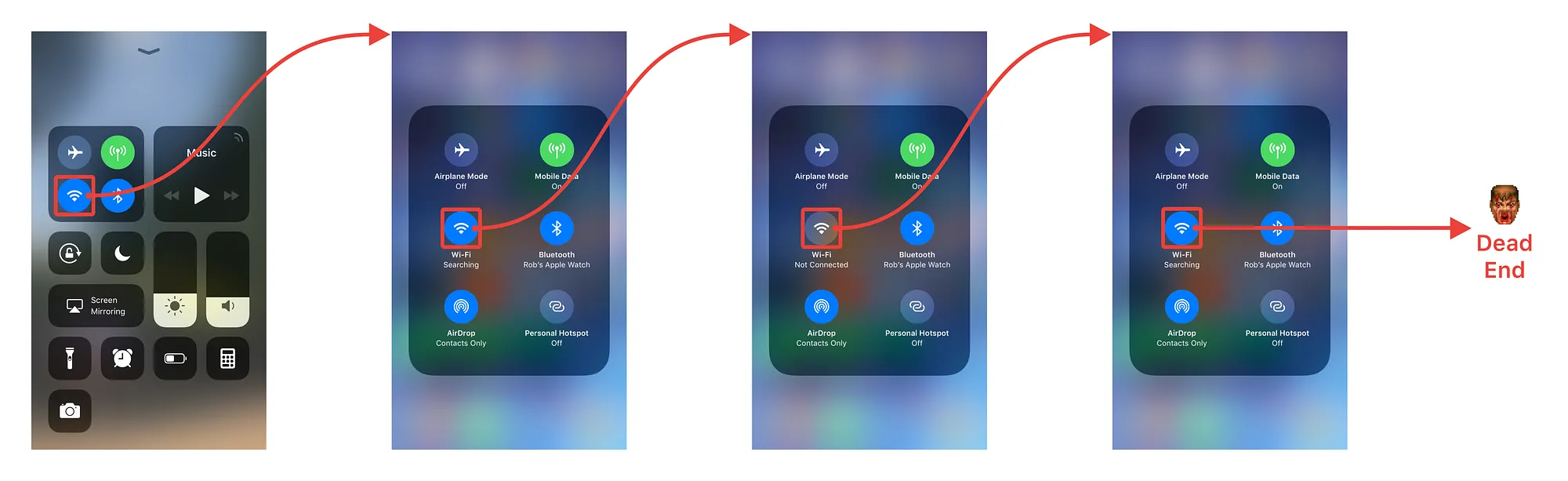
Trying join a new WiFi network within Control Center 😤
So, how do you join currently a new WiFi network?
The only way to actually do this is to go through Settings. As follows:
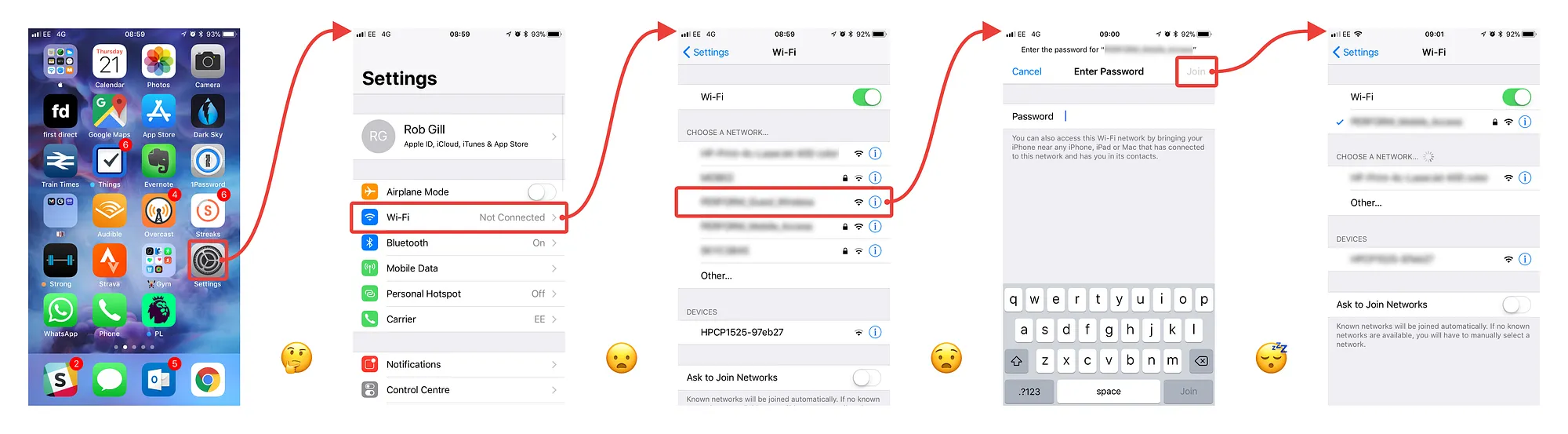
How to join a new WiFi network in Settings
Lets see both of these in action, many many steps 😭…

Trying, and failing to quickly connect to WiFi 😓
🎉 …and here’s how you should be able to join WiFi network on iOS 11… 🎉
Lets see this in action, not so many steps…

How you should be able to join WiFi network on iOS 11 🙏
- Force touch (an optional) WiFi icon
- Returns available networks
- Input password (if needed)
- Connected 🎉
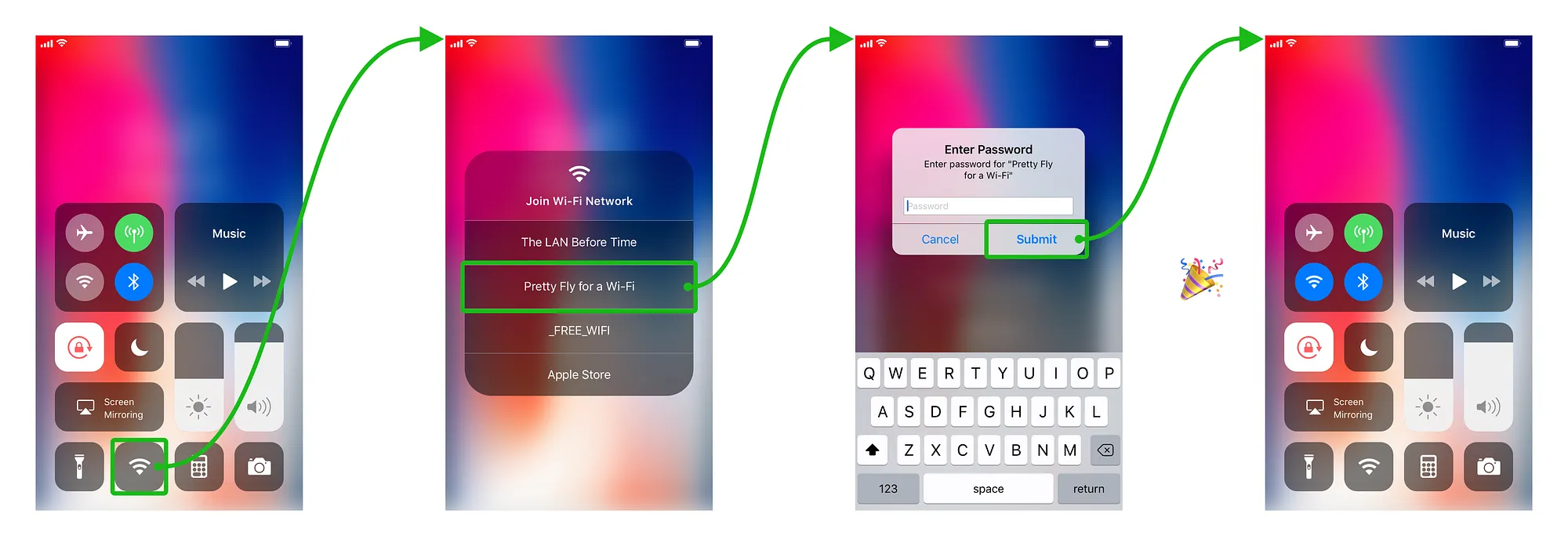
How you should be able to join WiFi network on iOS 11
🤔 It could be even be simpler. Don’t duplicate the WiFi icon on the bottom and add this functionality to the existing force touched ‘connection’ screen. But, I’ve never heard of force touching, and then force touching again.
🤔 There’s also no reason you couldn’t do the same for connecting to Bluetooth devices. But, I definitely say I change these way less than connecting to new WiFi.
What do you think?
Would this be a nice addition or unnecessary bloat? I’d love to hear what other features would you like to added to Control Center? Or, maybe you’re on Android and want to gloat that you already have this feature? (Christopher Johnson 😆)
Tweet me @rob_gill_ or grab the assets yourself from Dribbble.